
















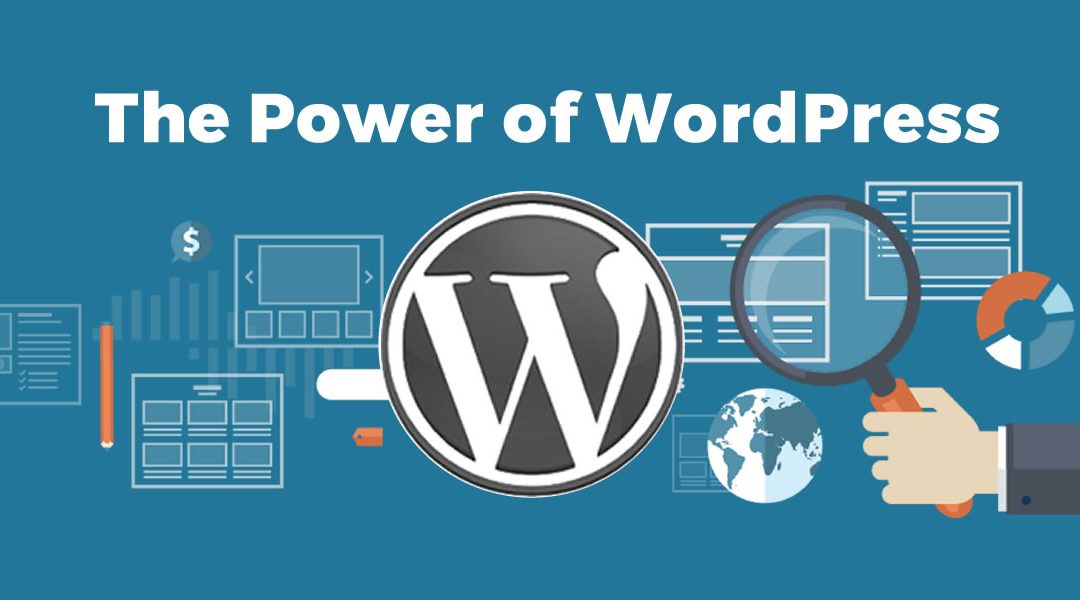
The Power of WordPress: Building and Customizing Websites
Introduction
Welcome to the world of WordPress, a powerful and user-friendly content management system (CMS) that empowers millions of websites worldwide. In this guide, we will delve into the power of WordPress and how it enables users to build dynamic, feature-rich websites without the need for extensive coding knowledge.
Understanding WordPress: The Backbone of the Web
WordPress, the brainchild of Matt Mullenweg and Mike Little, started as a humble blogging platform in 2003. Little did they know that their creation would evolve into a dominant force in the world of web development, powering millions of websites worldwide. Over the years, WordPress has undergone significant transformations, cementing its position as the backbone of the web.
The Rise of WordPress: From Blogging to Dominating the Web
WordPress’s journey from a simple blogging tool to a versatile content management system is a testament to its adaptability and innovation. Initially designed for bloggers, it quickly gained popularity due to its user-friendly interface and ease of use. Bloggers and content creators flocked to WordPress to share their thoughts and ideas with the world, and the platform soon became synonymous with blogging.
As its popularity soared, developers and businesses recognized the potential of WordPress as more than just a blogging tool. Its open-source nature and extensive plugin ecosystem allowed for easy customization and expansion, making it suitable for a wide range of websites beyond blogs. Developers began to build themes and plugins that catered to various industries, from e-commerce to corporate websites.

Check out: Effects of Social Media on One’s Mental Health
The Advantages of WordPress: Why Choose WordPress for Your Website
The success of WordPress can be attributed to the numerous advantages it offers to website owners and developers. Some of the key advantages include:
1. User-Friendly Interface
WordPress boasts a user-friendly interface that allows even those with minimal technical knowledge to create and manage websites. Its intuitive dashboard and straightforward navigation make it accessible to beginners and experienced users alike.
2. Vast Theme and Plugin Library
With thousands of themes and plugins available, WordPress offers unparalleled flexibility in website design and functionality. Users can choose from a wide range of free and premium themes to find the perfect look for their website. Additionally, plugins extend the core functionality of WordPress, allowing users to add features like contact forms, social media integration, and SEO optimization.
3. Built-in SEO Capabilities
Search engine optimization (SEO) is crucial for driving organic traffic to a website. WordPress comes with built-in SEO features, such as customizable permalinks, meta tags, and XML sitemaps, making it easier for websites to rank higher in search engine results.
4. Responsive Design
With mobile usage on the rise, responsive web design is essential for providing a seamless experience across devices. WordPress themes are designed to be responsive, ensuring that websites look and function optimally on smartphones, tablets, and desktops.
5. Strong Community Support
WordPress has a vibrant and supportive community of developers, designers, and users. This community actively contributes to the platform by creating themes, and plugins, and offering support in forums and online communities. Continuous improvement and regular updates are a testament to the power of community collaboration.
Check out: Positive Thinking: How Optimism Shapes These 2 things
WordPress.org vs. WordPress.com: Choosing the Right Platform
Aspiring WordPress users are often faced with the choice between WordPress.org and WordPress.com. While both platforms share the same foundation, they offer different hosting options and levels of control.
WordPress.org: Self-Hosted WordPress
WordPress.org is the home of the self-hosted version of WordPress. This means that users have full control over their website and can host it on their own server or a hosting provider of their choice. Self-hosted WordPress offers unparalleled flexibility and customization options. Users can install any theme or plugin, access the website’s code, and make advanced customizations.
However, with this freedom comes responsibility. Users are responsible for managing their website’s security, updates, backups, and overall maintenance. While this level of control is ideal for developers and experienced users, beginners may find it overwhelming.
WordPress.com: Hosted WordPress
WordPress.com, on the other hand, offers a hosted version of WordPress where users can sign up and create a website with ease. This platform takes care of the hosting, security, updates, and maintenance, allowing users to focus solely on content creation.
While WordPress.com offers simplicity and convenience, it comes with certain limitations. Users have access to a curated selection of themes and plugins, and they cannot upload custom themes or plugins. Additionally, the free version displays WordPress.com ads on the website, which can be removed by upgrading to a paid plan.
Choosing between WordPress.org and WordPress.com depends on individual needs and preferences. Beginners and users looking for a hassle-free experience may opt for WordPress.com, while developers and experienced users often prefer the full control offered by WordPress.org.
In conclusion, WordPress’s rise from a humble blogging platform to a versatile CMS has been nothing short of extraordinary. Its user-friendly interface, a vast library of themes and plugins, and strong community support have made it the go-to choice for website owners and developers worldwide. Whether you’re a blogger, business owner, or developer, WordPress has the power to unleash your creativity and create dynamic websites that leave a lasting impression on visitors. So, embrace the power of WordPress and embark on an exciting journey of web development and customization.
Building Your WordPress Website
In this section, we will dive into the process of setting up and building a WordPress website from scratch.
4. Selecting a Domain and Hosting Provider
The first step towards creating a WordPress website is choosing a suitable domain name and a reliable hosting provider. We’ll guide you through the selection process to ensure a strong foundation for your site.
5. Installing WordPress: Step-by-Step Guide
Setting up WordPress on your hosting server may seem daunting, but fear not! Our step-by-step guide will simplify the installation process and have your website up and running in no time.
6. Choosing the Perfect Theme: Customizing Your Website’s Look
Your website’s theme sets the tone for your online presence. Learn how to choose the perfect theme from the vast selection available and customize it to reflect your brand identity.
7. Navigating the WordPress Dashboard
Once your website is up and running, it’s time to familiarize yourself with the WordPress dashboard. We’ll walk you through its various features and settings to help you navigate like a pro.
8. Creating Engaging Content: WordPress Editor and Best Practices
Content is king, and creating compelling and engaging content is essential. Learn how to make the most of the WordPress editor and employ best practices for crafting captivating content.
Mastering WordPress Customization
In this section, we will delve into the art of customizing your WordPress website to suit your brand and vision.
9. Harnessing the Power of Page Builders
Gone are the days of cumbersome coding! Page builders empower you to design and customize your website without any coding knowledge. Explore popular page builders and discover how they can transform your site’s appearance.
10. Customizing Themes: CSS and Child Themes
While themes offer pre-designed layouts, you may want to add unique touches to align with your brand. Learn the basics of CSS and how to create child themes to make advanced customizations without impacting theme updates.
11. Extending Functionality with Plugins
Want to add extra features and functionality to your website? WordPress plugins are the answer! Explore the vast world of plugins and discover how to integrate them seamlessly into your website.
12. Optimizing Your Website: Performance and Speed
A slow website can turn visitors away. Learn the best practices for optimizing your WordPress site to ensure maximum performance and lightning-fast loading times.
Check out: Survival Limits: How Long Can the Human Body Endure?
Advanced Techniques: Taking Your Website to the Next Level
In this section, we will cover advanced techniques to enhance your WordPress website and take it to new heights.
13. Securing Your Website: Best Security Practices
Website security is of utmost importance in today’s digital landscape. Discover the best security practices to protect your WordPress site from potential threats.
14. E-Commerce with WordPress: Building Online Stores
Ready to dive into e-commerce? WordPress offers powerful e-commerce solutions like WooCommerce, making it a fantastic platform for building online stores. Learn how to set up and manage your e-commerce website effectively.
15. Multilingual Websites: Reaching a Global Audience
Expand your reach and cater to a global audience by creating multilingual websites. Discover the tools and plugins that enable seamless multilingual functionality.
16. Search Engine Optimization (SEO): Improving Visibility
Boost your website’s visibility in search engine results with effective SEO strategies. Learn how to optimize your content, meta tags, and website structure to rank higher on search engine pages.
Leveraging Data and Analytics
In this section, we will explore how data analytics can provide valuable insights for optimizing your WordPress website.
17. Google Analytics: Tracking and Analyzing User Behavior
Integrate Google Analytics with your WordPress website to gain valuable insights into user behavior. Learn how to analyze data to make informed decisions and enhance your website’s performance.
18. Using Data to Enhance User Experience
Data-driven decisions lead to improved user experiences. Explore how data analytics provides insights into user preferences, allowing you to optimize your website for increased user satisfaction.
19. Conversion Rate Optimization (CRO): Enhancing Website Performance
Improve your website’s conversion rates with CRO techniques. Learn how to analyze data, identify pain points, and optimize your website to increase conversions and achieve your business goals.
Frequently Asked Questions (FAQs)
In this section, we will address common questions related to WordPress and website development.
Q1. What is WordPress, and why is it so popular?
Answer: WordPress is a powerful and flexible content management system that enables users to build and customize websites with ease. Its intuitive interface, extensive theme and plugin options, and strong community support make it a popular choice among beginners and experienced developers alike.
Q2. Can I use WordPress to create an e-commerce website?
Answer: Yes, you can use WordPress to create a fully functional e-commerce website. With plugins like WooCommerce, you can easily set up product pages, shopping carts, and payment gateways to start selling online.
Q3. Is WordPress suitable for large-scale websites?
Answer: Absolutely! WordPress is a scalable platform that can handle high traffic and large volumes of content with the right hosting and optimization.
Q4. Can I customize my WordPress website without coding knowledge?
Answer: Yes, you can customize your WordPress website without any coding knowledge using page builders and theme customization options. These user-friendly tools empower you to create a unique website tailored to your needs.
Q5. Is WordPress secure?
Answer: While WordPress is relatively secure, it’s crucial to implement security measures, use trusted themes and plugins, and keep your site updated to protect against potential vulnerabilities.
Q6. Can I optimize my WordPress website for search engines?
Answer: Absolutely! WordPress provides numerous SEO tools and plugins to optimize your website’s content, meta tags, and overall structure for improved search engine rankings.
Conclusion
WordPress has proven itself as a powerhouse in the world of website development. Its versatility, ease of use, and vast community support make it a top choice for businesses, bloggers, and entrepreneurs alike. By harnessing the power of WordPress, you can build and customize dynamic websites that leave a lasting impression on your visitors. So, take the plunge into the world of WordPress and unlock the full potential of website building and customization!





Trackbacks/Pingbacks